Head to head · specs checked Oct 2026
Meta Quest 3 vs Samsung Galaxy XR
Galaxy XR offers sharper micro-OLED screens and Android XR; Quest 3 offers the more polished everyday headset. Decide whether desk work and Google integration matter more than games and software consistency.
The quick answer
Buy Quest 3 if you want a headset for games, everyday mixed reality, and regular use without making software quirks part of the hobby.
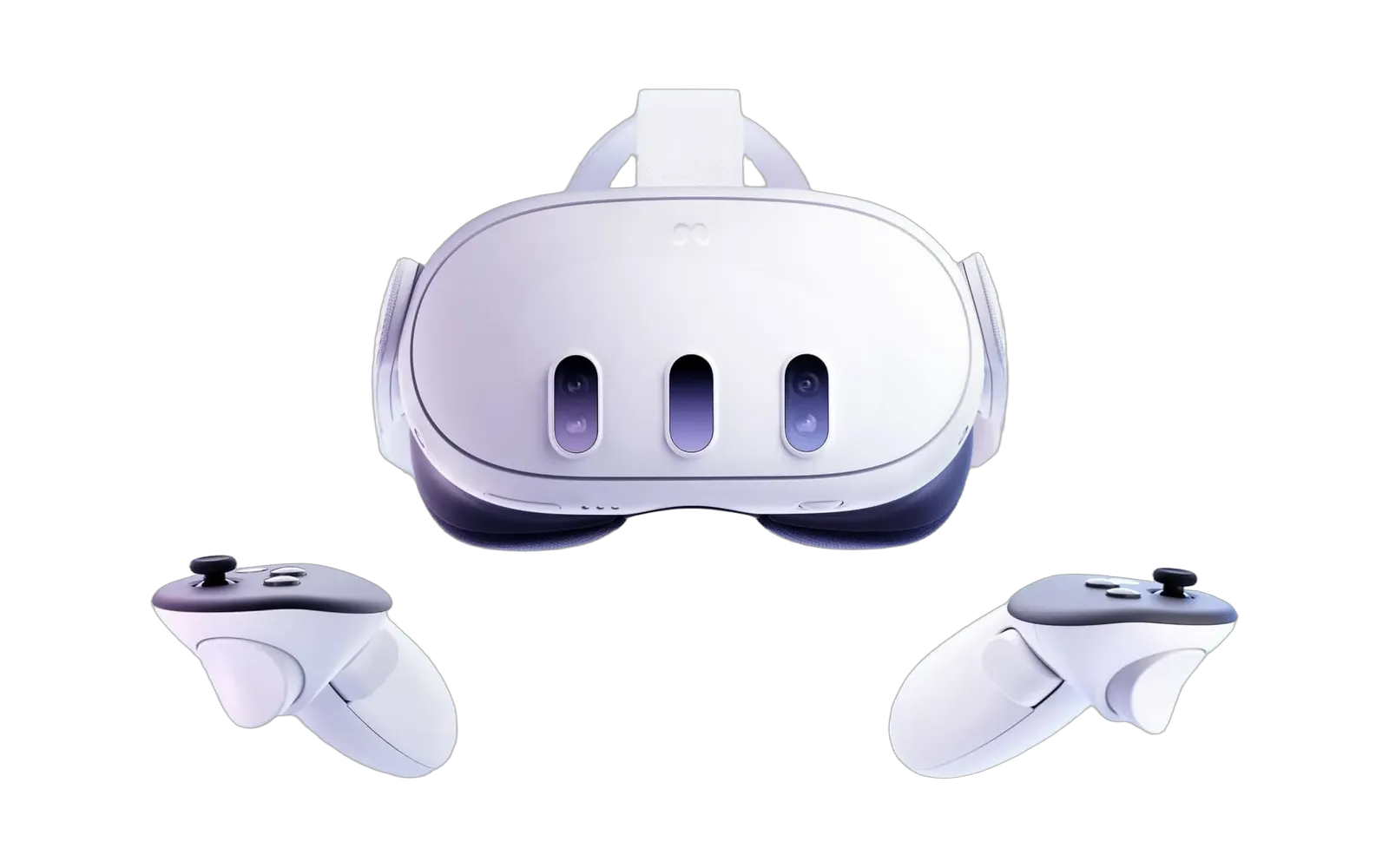
Quest 3
Buy the Quest 3 if
- Standalone games and everyday mixed reality come first
- You care about fast controller movement and multiplayer
- You want the more polished daily experience
- You want a mainstream typical/list price and optional wireless PC VR
Watch out forStock strap is a common first complaint; budget a better one
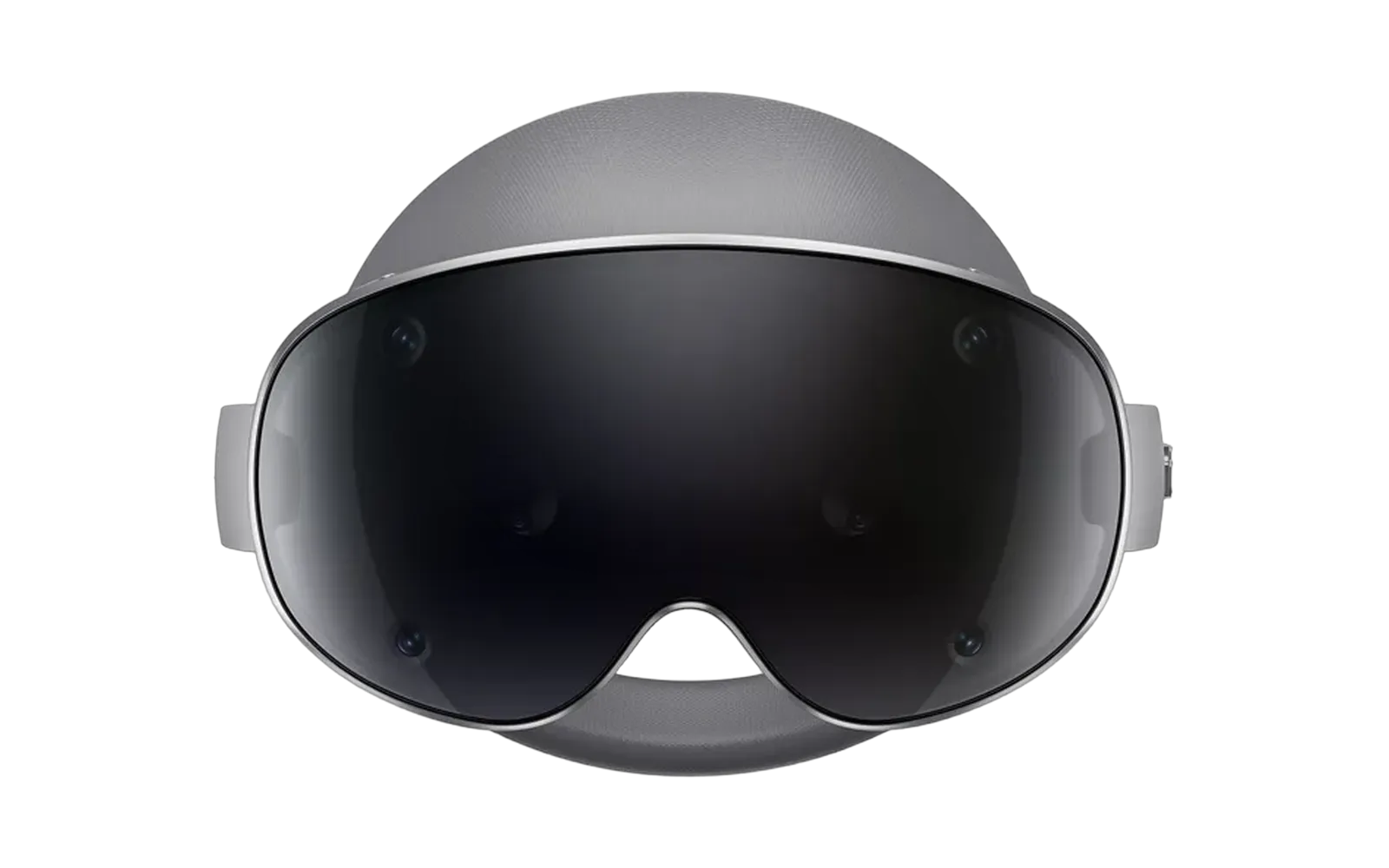
Galaxy XR
Buy the Galaxy XR if
- Spatial desk work matters more than the Quest game store
- You want micro-OLED sharpness for text and windows
- Samsung and Google app integration is a deciding factor
- You accept early software rough edges and possible fit accessories
Watch out forNot the default headset. Meta Quest 3 still wins most people, standalone value, and everyday MR polish
Scores by category
0 to 100, the same scale for every headset. Price is left out. How we score
| Category | Quest 3 | Galaxy XR |
|---|---|---|
| Overall | 86 | 89 |
| Clarity | 88 | 90 |
| Field of view | 90 | 89 |
| Comfort | 85 | 83 |
| Battery | 79 | 75 |
| Tracking | 77 | 97 |
| Ease of setup | 100 | 100 |
What's actually different
Worked out from the spec sheets, in plain words. What they share is left out.
- 01PriceQuest 3 typically costs $1,200 less than Galaxy XR.
- 02SharpnessGalaxy XR has 199% more pixels per eye than Quest 3, so text and small details look crisper.
- 03PictureGalaxy XR uses an OLED panel, with true blacks and richer dark scenes than the LCD in Quest 3.
- 04ComfortQuest 3 is 30 g lighter than Galaxy XR on your face.
- 05Eye trackingOnly Galaxy XR tracks your eyes, which lets supported games draw the spot you look at in more detail.
Our verdict
Our verdict
At a typical/list $599 versus Galaxy XR's $1799, it is also the more practical general-purpose purchase. Choose Galaxy XR when sharp spatial screens and Samsung and Google app integration are your main reasons to buy. Owners who use both for productivity praise Galaxy XR's resolution, but also describe its software as less polished than Quest's. Controller lag complaints make Samsung the harder recommendation for fast PC VR games, even though some owners find single-player room-scale play fine. Both can need comfort accessories, and Galaxy XR's short battery life means the sharper workspace does not remove the need to plan longer sessions.
Where each one wins
Judged for this matchup. Criteria without a supported judgment are left out.
- ClaritySamsung Galaxy XRGalaxy XR's higher-resolution micro-OLED panels are the concrete upgrade for spatial desk work. Owners using both for productivity call out its screen sharpness even while preferring Quest's software polish.
- Library / standaloneMeta Quest 3Both are standalone, but Quest 3 has the stronger general-use VR games library and more polished daily experience. Galaxy XR's reason to buy is Android XR productivity and ecosystem integration.
- Value / budgetMeta Quest 3Typical/list pricing is $599 for Quest 3 and $1799 for Galaxy XR. Samsung's screen upgrade needs to matter to your actual work to justify that premium, and optional controllers add another purchase consideration.
- Mixed realityMeta Quest 3Quest 3 combines useful color passthrough with the stronger everyday MR library and polish. Galaxy XR's AI-assisted spatial features are a specialist attraction, rather than a better default MR purchase.
- TrackingMeta Quest 3Owner comparisons describe Galaxy XR controllers as slower during fast movement and report PC VR lag. Some Samsung single-player experiences are fine, but the reports favor Quest for controller-heavy play; conflicting tracking specs do not establish a hardware explanation.
Every spec
14 of 17 published specs differ
Display
Manufacturer · checked 2026-09-13
- Meta Horizon OS Developers · Manufacturer · checked 2026-09-13
Manufacturer · checked 2026-09-13
- Meta Horizon OS Developers · Manufacturer · checked 2026-09-13
Meta documents these display modes. Higher developer-only rates use separate display-scaling settings.
Manufacturer · checked 2026-09-13 · 2 more
- Meta Horizon OS Developers · Manufacturer · checked 2026-09-13
- Meta Horizon OS Developers · Manufacturer · checked 2026-09-13
- Meta · Manufacturer · checked 2026-09-13
Optics & field of view
Manufacturer · checked 2026-09-13
- Meta · Manufacturer · checked 2026-09-13
Current Meta device specifications list 110° horizontal.
Manufacturer · checked 2026-09-14 · 1 more
Meta's product page also lists 104°. The current developer specification is used as the catalog value.
- Meta Horizon OS Developers · Manufacturer · checked 2026-09-14
- Meta · Manufacturer · checked 2026-09-13
Horizontal figures differ: VR Headset Picker reports 108° measured; VRcompare estimates 103.8°; VR Eddie lists 110°. Vertical figures are 98.25° and 96.4° respectively from VR Headset Picker and VRcompare.
Database · checked 2026-09-10
Manufacturer documentation supplies design FoV axes, not the catalog's third-party measured value.
- picker · Database · checked 2026-09-10
Manufacturer · checked 2026-09-13
- Meta Horizon OS Developers · Manufacturer · checked 2026-09-13
Database · checked 2026-09-10
Manufacturer documentation supplies design FoV axes, not the catalog's third-party measured value.
- picker · Database · checked 2026-09-10
Fit & power
Includes the standard soft strap. Other straps and accessories change the weight.
Manufacturer · checked 2026-09-13
- Meta · Manufacturer · checked 2026-09-13
Continuous lens adjustment. The supported IPD range is wider than the lenses' adjustment range.
Manufacturer · checked 2026-09-13
- Meta · Manufacturer · checked 2026-09-13
Battery life varies with apps, settings, battery age and wireless connections.
Manufacturer · checked 2026-09-13
- Meta · Manufacturer · checked 2026-09-13
Tracking & input
Manufacturer · checked 2026-09-13 · 1 more
- Meta Horizon OS Developers · Manufacturer · checked 2026-09-13
- Meta Horizon OS Developers · Manufacturer · checked 2026-09-13
Manufacturer · checked 2026-09-13
- Meta Horizon OS Developers · Manufacturer · checked 2026-09-13
Manufacturer · checked 2026-09-13
- Meta · Manufacturer · checked 2026-09-13
Manufacturer · checked 2026-09-13
- Meta Horizon OS Developers · Manufacturer · checked 2026-09-13
Silicon & connection
Manufacturer · checked 2026-09-13
- Meta Horizon OS Developers · Manufacturer · checked 2026-09-13
Database · checked 2026-09-10 · 1 more
Other published values
Display
Manufacturer · checked 2026-09-13
- Samsung Newsroom · Manufacturer · checked 2026-09-13
Manufacturer · checked 2026-09-13
- Samsung Newsroom · Manufacturer · checked 2026-09-13
Manufacturer · checked 2026-09-13
- Samsung Newsroom · Manufacturer · checked 2026-09-13
Optics & field of view
Database · checked 2026-09-10 · 1 more
Manufacturer · checked 2026-09-13
- Samsung Newsroom · Manufacturer · checked 2026-09-13
Database · checked 2026-09-10
The catalog measured value is not supported by Samsung's official source; Samsung publishes 109° H.
- picker · Database · checked 2026-09-10
Manufacturer · checked 2026-09-13
- Samsung Newsroom · Manufacturer · checked 2026-09-13
Database · checked 2026-09-10
The catalog measured value is not supported by Samsung's official source; Samsung publishes 100° V.
- picker · Database · checked 2026-09-10
Fit & power
Measured with forehead cushion only, without cushion-size adjusters or light shields. Separate battery weighs 302 g.
Manufacturer · checked 2026-09-13
- Samsung Newsroom · Manufacturer · checked 2026-09-13
Automatic optic adjustment, not a manual preset range.
Manufacturer · checked 2026-09-13
- Samsung Support · Manufacturer · checked 2026-09-13
Uses an external USB-C battery and works while charging. The 2.5-hour rating is for video playback under Samsung's test conditions.
Manufacturer · checked 2026-09-13
- Samsung Newsroom · Manufacturer · checked 2026-09-13
Tracking & input
Manufacturer · checked 2026-09-13
- Samsung Support · Manufacturer · checked 2026-09-13
Manufacturer · checked 2026-09-13
- Samsung Newsroom · Manufacturer · checked 2026-09-13
Manufacturer · checked 2026-09-13
- Samsung Support · Manufacturer · checked 2026-09-13
Manufacturer · checked 2026-09-13
- Samsung Support · Manufacturer · checked 2026-09-13
Silicon & connection
Manufacturer · checked 2026-09-13
- Samsung Newsroom · Manufacturer · checked 2026-09-13
Database · checked 2026-09-10
No formal DisplayPort yes/no specification was found on the checked official pages.
- picker · Database · checked 2026-09-10
Other published values
 Quest 32064×2208
 Galaxy XR3552×3840Quest 3110°Galaxy XR109°Quest 3108°Galaxy XR108.98°Quest 396°Galaxy XR100°Quest 398.25°Galaxy XR105.14°
▲ Leads marks the best figure in a row, and only where the figures compare like for like: the same measurement conditions, nothing disputed, and one clear leader. Rows where every headset matches get no mark. Panels and fields of view are drawn at one scale for every headset on screen, and each value opens its sources.
What you need to play
The headset, plus anything it cannot run without.
Meta Quest 3
Typically$599.99
Full dossier →Samsung Galaxy XR
Typically$1,799.99
Full dossier →Before you buy
Questions worth asking
Is Galaxy XR worth paying more than Quest 3?
For spatial desk work and Samsung or Google integration, it can be. Owners praise the sharper screens, but also report less polished software. For gaming and everyday MR, buy Quest 3.
Do I need a PC for either headset?
No, both run standalone apps. Quest 3 also has an optional wireless PC VR path, while Galaxy XR owner reports describe PC VR use with mixed controller results.
Is Galaxy XR good for PC VR shooters?
It is the riskier pick here. Multiple owners report controller lag or shaking that hurts fast and competitive play, although others have acceptable single-player experiences. Quest 3 is the better recommendation when those games are the priority.
Which is better for reading and spatial desk work?
Galaxy XR has the display advantage, with higher-resolution micro-OLED panels and owner praise for text sharpness. That does not automatically make the whole workflow better, because the same comparisons often favor Quest's software polish. Choose Samsung if display fidelity and its app ecosystem justify that tradeoff.
Will I need to buy comfort accessories?
Plan for that possibility with both. Quest 3's stock strap is a common complaint, and Galaxy XR owners recommend top straps or different facial interfaces. Samsung's sharper screens do not guarantee comfortable long sessions.
More comparisons
As an Amazon Associate, we earn from qualifying purchases. How our links work.